

Should I buy a VPS or hosting? What’s the difference between shared hosting and a VPS? What do hosting and VPS actually mean? These are questions you’ll ask when you start your website and before choosing a hosting plan. Your site’s situation, its daily traffic and the processing resources it needs determine when it’s time to move from hosting to a secure, stable VPS or a dedicated server. But how can you tell whether it’s time to move, or whether your hosting is still enough? In this guide from the Mizbandade knowledge base, we explain.
What’s the difference between hosting and a server?
To compare shared hosting with dedicated and virtual servers, we first need to understand the difference between hosting and a server. A server is a powerful computer that runs 24 hours a day, every day of the week, keeping the websites on it available to their visitors. Servers are used to host, control and manage websites. When someone visits your site, the server receives their request and sends back the information to display.
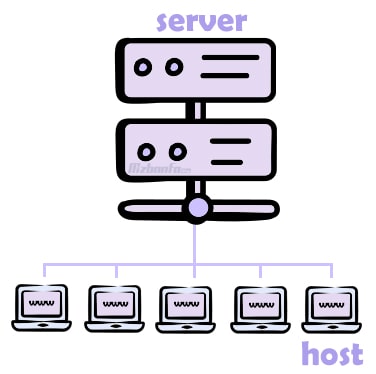
Look at the image above. At the top is a server, divided into several sections. Each section is a hosting account. Depending on the server and what it’s optimized for, the type of hosting differs too.
So where exactly is your site’s data stored? As the image shows, servers are divided into sections, and each one is called hosting. Hosting is the space where a website’s data is stored and from which the site is served. That’s the simplest definition of hosting and servers.
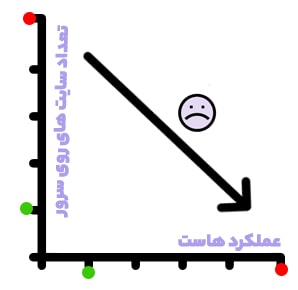
Think of the server as the parent and the hosting accounts as its children. Because the server is split into sections and hosts several sites, the power and resources of each hosting account are affected. Naturally, the fewer sites on a server, the more power and resources each hosting account has; the more sites, the lower each site’s performance.
Hosting vs VPS: which is better?
You now have a basic understanding of servers and hosting: each server gets an operating system and control panel, then it’s divided into sections, and each section is called hosting.
Now, if virtualization software is installed on the server and it’s divided into sections again, but this time each section gives you a server-like environment with features such as SSH access and the freedom to install your own control panel, those sections are called virtual servers (VPS). You don’t actually have a dedicated server, but you get similar capabilities. Note, though, that some hosting plans are as powerful as a VPS, without the extra costs such as control panel licenses and web server software.
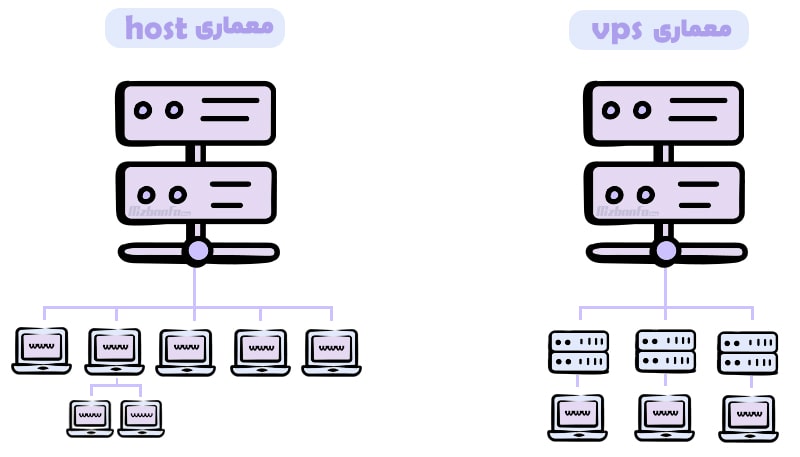
A VPS has far more processing power and resources than hosting, and far fewer neighbors. So if your site needs more resources, its traffic has grown, or you want to host it in your own customized environment with your own configuration, it’s time to move from hosting to a server.
How do you know it’s time for a VPS? Some users need more than hosting can offer, for example when:
- Their site’s resource usage has grown because of high traffic.
- Their site needs far more processing power than hosting provides.
- They want to run specific software on their hosting service.
- They want to install their own choice of operating system (for example, a Linux server running Ubuntu or Debian).
- They need SSH access.
- They want their own choice of control panel.
- They want to configure the hosting service themselves.
- They plan to run resource-hungry bots.
What is shared hosting, and how is it created?
As we said, shared hosting is created by dividing a server into separate spaces to host several sites. Here’s an analogy. Picture a bus. The bus is the server: just as the bus carries passengers to their destination, the server delivers a site’s data to its visitors. Each seat holds a particular passenger. You can have the whole bus to yourself (a dedicated server), or share it with others and let it carry you and several other people (hosting). To understand this better, you can also read our guide What is cloud hosting, and what are its benefits?
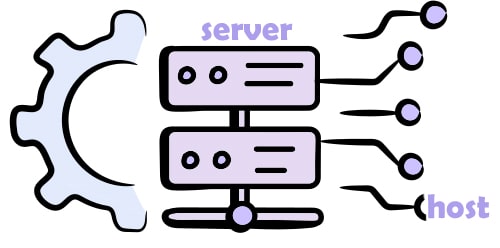
The server is divided in a defined way and offered to several websites. Keep in mind that your data is stored in its own completely separate space, and no one but you can access it.
Pros and cons of shared hosting
Pros of shared hosting
- Because the server is divided into many parts, shared hosting is cheaper.
- The hosting company optimizes the servers, so you don’t need much technical knowledge.
- You don’t need to buy server licenses.
- The necessary configuration is already done.
- You don’t need to install an operating system or control panel, or keep them updated.
- You benefit from the server’s security features.
- Keeping the server stable and fixing its problems isn’t your job.
Cons of shared hosting
- Because the server is divided into many parts, resources are shared. For example, heavy traffic on other sites on the same server can slow yours down. If the number of sites per server is kept under control (in other words, the server isn’t oversold), you won’t have this problem, but some hosting companies divide servers unreasonably, which slows sites down and frustrates users.
- Site owners on shared hosting can’t manage or change the server. If you need something specific set up on the server, you won’t be able to do it.
- Because the server is shared, SSH access usually isn’t available, for security reasons.
- You can’t apply your own custom configuration to the server.
What is a VPS?
Virtualization software divides a physical server into smaller parts, each called a VPS or virtual server. We’ve covered this in full in What Is a VPS and What Is It Used For?
VPS stands for Virtual Private Server: each customer gets an independent space on the server with a specific, generous set of resources. A VPS is part of a dedicated server, divided into several parts with virtualization software such as VMware or KVM and given to different users for different purposes. Websites are hosted on one physical server, but each has its own unique environment, customized to the user’s needs.
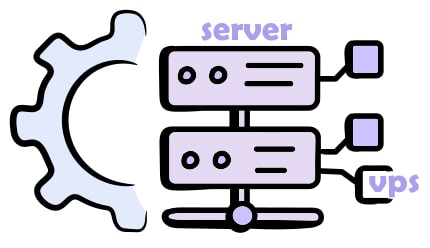
Because one server’s resources are divided among several VPS, a VPS usually costs less than a dedicated server with similar specs, and it’s much more flexible than shared hosting.
Pros and cons of a VPS
Like shared hosting, a VPS has its pros and cons, though far fewer cons. The main difference between a VPS and shared hosting is how much control you have over the server your website runs on.
Pros of a VPS
- Full access to the server, so you can manage and customize it privately.
- Less risk, because you can strengthen security with your own settings.
- You can upgrade resources at any time as your site needs.
- Custom configuration: install the operating system and software you want.
- Much more processing power than hosting.
- Far fewer sites per physical server, so you get a bigger share of its resources.
- Better security, thanks to fewer neighbors and the ability to apply your own security settings.
- Faster sites, because you have the resources you need and a lower risk of slowdowns and downtime.
Cons of a VPS
- It costs more than shared hosting, because the resources are reserved for you.
- Managing it takes technical knowledge and experience to get the most out of it. (At Mizbandade, we solve this: our VIP support team manages, configures and monitors customers’ servers.)
A VPS needs a server administrator, someone to configure and optimize it for your site at the start and then monitor it continuously. At Mizbandade we’ve solved this problem: our support team configures your server for your site free of charge and takes care of everything it needs.